Troubleshoot SIM Card Detection & Network Signal Problems
04/09/2026 Oale Team
Hi everyone!
It can be very annoying when your OALE phone fails to detect the SIM card, shows “No Service”, or keeps getting weak and unstable network signals. Most SIM and signal issues can be resolved through simple checks. Please follow the steps below one by one.
Step 1: Inspect your SIM card physically
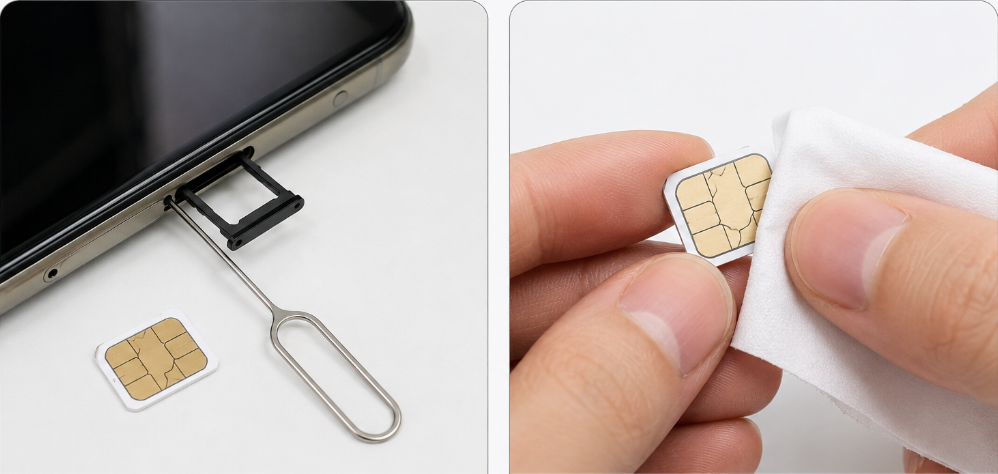
Power off your phone completely before removing the SIM tray.
Take out the SIM card and check for scratches, bending, dirt or oxidation on the metal chip.
Gently wipe the metal chip with a clean dry soft cloth to remove dust and fingerprints.
Make sure the SIM card is placed in the tray with the correct orientation, then push the tray back firmly.
For dual‑SIM models, swap the SIM card to another slot and test again.
Note: Do not use non‑standard cut SIM cards. Improperly clipped SIM cards may cause detection failures and damage the card slot.
Step 2: Quick network reset
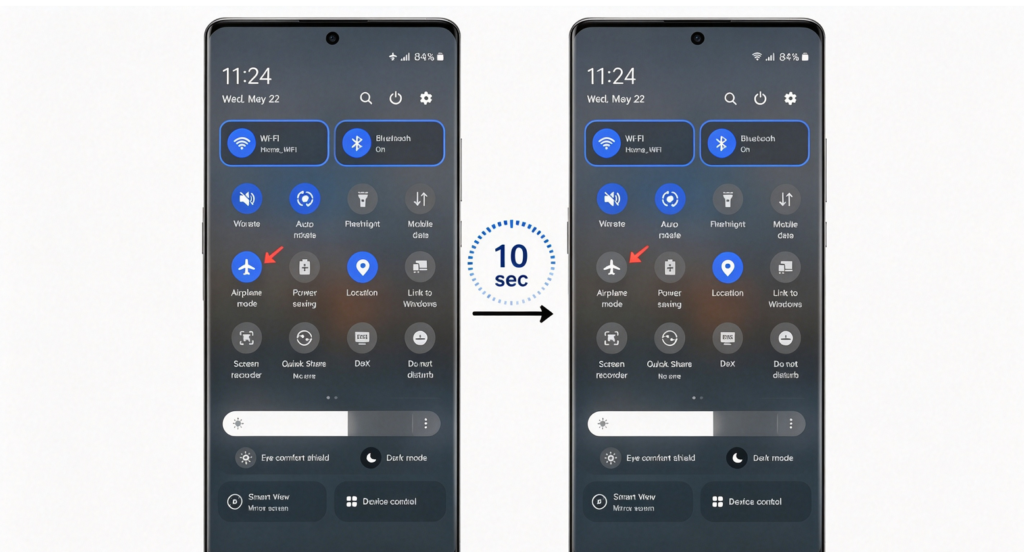
Turn on Airplane Mode, wait for 10 seconds, then turn it off. This will refresh your mobile network connection.
Restart your phone. A simple reboot can fix many temporary network glitches.
Step 3: Verify mobile network settings
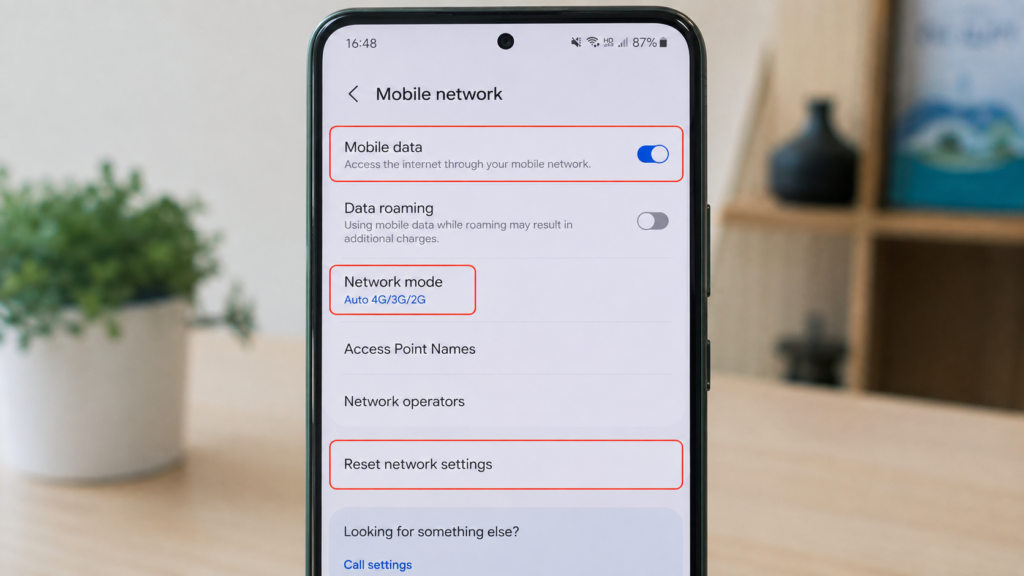
Go to your phone Settings > Mobile Network.
Make sure Mobile Data is enabled.
Select auto‑network mode (Auto 4G/3G/2G) instead of locking a single network band.
If you are using a VPN, please turn it off temporarily as it may interfere with signal registration.
If the problem persists, choose Reset Network Settings.
Important: Resetting network settings will clear saved Wi‑Fi passwords and paired Bluetooth devices, but will NOT delete your photos, files or personal data.
Step 4: Check for environmental signal interference
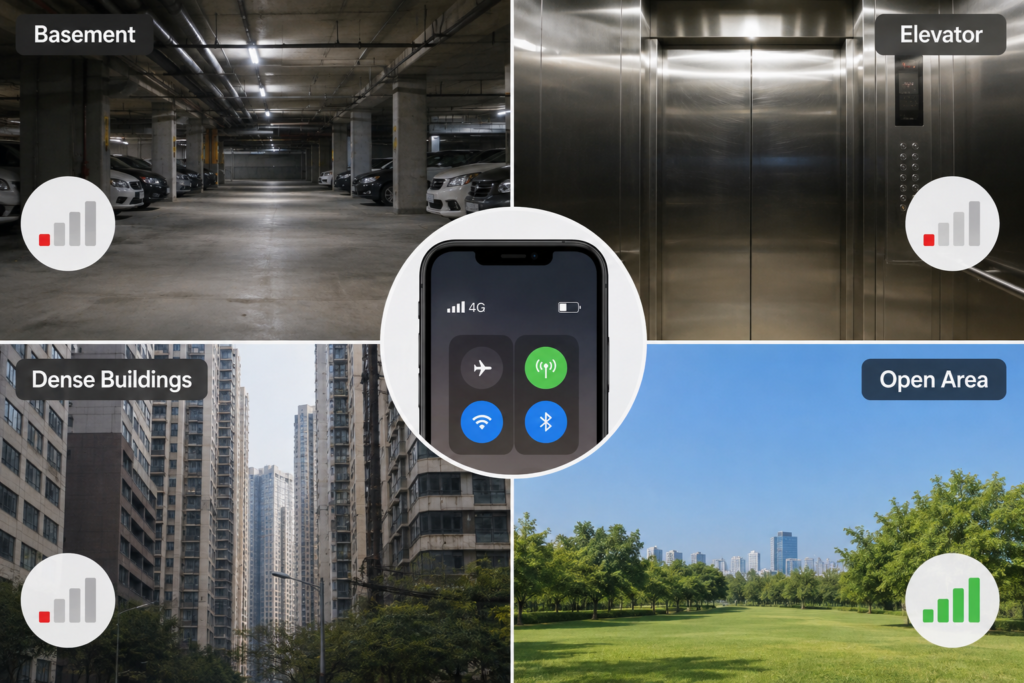
Weak signal may happen when you stay in basements, elevators, remote suburbs or areas with dense buildings. Move to an open area and check signal status again.
Confirm your SIM card is still valid with sufficient balance and not suspended by your carrier.
🔍Have you worked through every troubleshooting tip above?
Many network‑related hiccups can be resolved with simple checks.
Take your time to test each suggestion one after another, and observe whether your SIM card and network status return to normal after each operation.

 Oale Team